Editor's Review
Is your kid always on their phone, neglecting homework or family time? 📱 Picture a life where screen time struggles disappear, replaced by concentrated homework and calm evenings. 🧘♀️ Kids360 and Alli360 turn this vision into reality, equipping parents with soft but powerful tools to regulate digital use.
Join more than 500,000 families that have already taken back their nights and improved their kids' focus! ✨ Find a better tech balance for your entire family now. 👨👩👧👦
Features
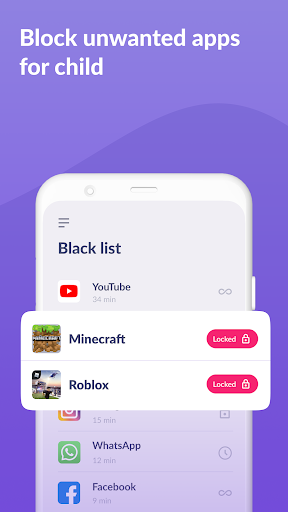
- App Limits Troubled by nonstop scrolling? Establish personalized time caps for gaming and social networks 🎮, helping your child concentrate on key responsibilities. This tool serves as a digital guardian, encouraging better app habits and spotlighting crucial tasks.
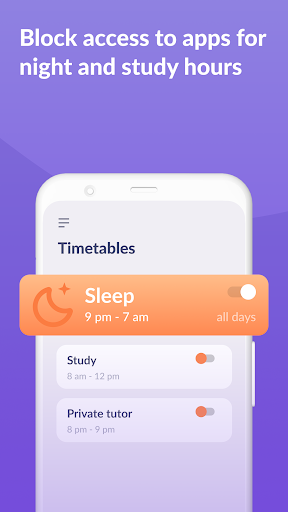
- Great for parents wanting reassurance. 😌 Usage Schedule Achieve harmony between studying and rest easily! 📚🌙 Design custom timetables for effective school periods and necessary breaks, stopping midnight gaming or excessive app use. This safeguards your child's health and school performance by smartly overseeing their online time. Perfect for organized family habits. 🗓️
- Interested in your kid's online activities Get transparent reports on app usage and screen time, enabling you to comprehend their behaviors. Spot possible interruptions and promote a healthy tech balance. Arm yourself with information to offer improved direction. 💪
Pros
- The UI is very user-friendly, so configuration is simple even for parents who aren't tech experts. In a few minutes, you can set positive digital limits with no complicated setups. 👍
- Live oversight offers priceless reassurance, letting parents keep tabs on their kid's internet behavior without prying. It builds trust and encourages honest conversation. 💬
- Being able to adjust app limits and timetables is a notable asset, providing adaptability to match your child's individual requirements and your household's routine. It's genuinely personalized management. 🎯