

Why this app stands out
Say goodbye to the stress of finding a charging station for your EV! Imagine a road trip where locating your next charge is as simple as opening an app, saving you time and hassle on every journey. 🚗💨 Our users report saving an average of 15 minutes per charging session by using our real-time station finder.
Additionally, monitoring your charging remotely, securing the best prices, and knowing exactly when you're fully charged brings peace of mind to your daily commute and long drives. 🔋✨ Experience the future of EV charging, streamlined and accessible to all. Download now and join the growing community of satisfied drivers! 🌟👍
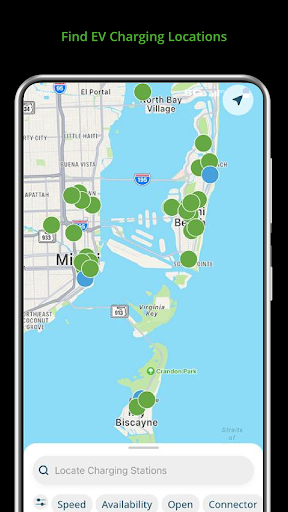
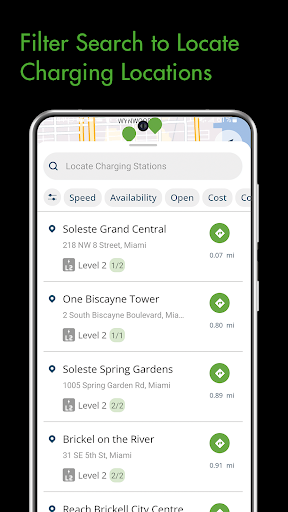
Find Chargers
Quickly find EV charging stations nearby by entering zip code, city, or address—perfect for daily trips or long journeys. 📍🗺️ It ensures you never waste time hunting for power, assisting any EV driver seeking convenience and reliability on the road. ⚡✅
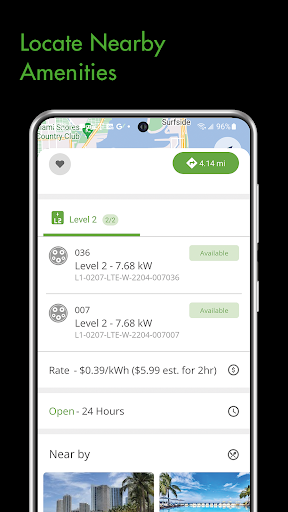
Manage Sessions
Monitor your charging in real time, tracking cost, energy delivered, and rate. 📊💰 Ideal for budget-conscious users who want detailed insights during a charge. Stay informed and in control of your charging process. 🔌💡
Status Updates
Receive instant notifications about charging status, completion, or any problems. 🔔👍 This proactive system keeps you updated on your EV's charging progress, preventing unexpected interruptions and providing peace of mind for busy lifestyles. 💯🚗


