Editor's Review
Tired of selfies that don't flatter you? 😕 Want to effortlessly achieve that celebrity glow or star quality? Hotune Editor is here to transform your photos with just a few taps!
✨ Imagine slimming your waist for that perfect hourglass figure or smoothing your skin to a radiant finish, all without any editing experience. This powerful, free app lets you sculpt your body and enhance your face so every selfie shines and racks up the likes you crave online. 📸 Ready to unveil your best photos?
Features
- Download Hotune Editor now and see the magic! 🌟
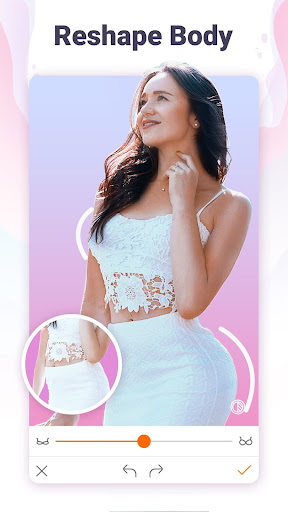
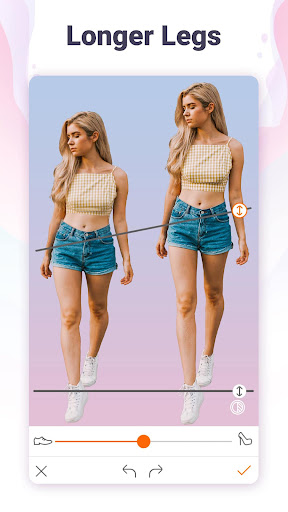
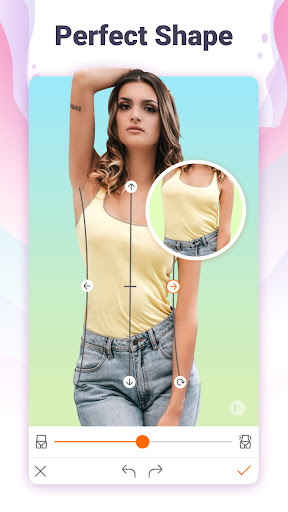
- Body Reshaping Effortlessly reduce your waist, enhance your curves, or lengthen your legs to achieve a stunning silhouette worthy of a celebrity. Great for anyone wanting to boost their body image in photos for social media confidence. 💃
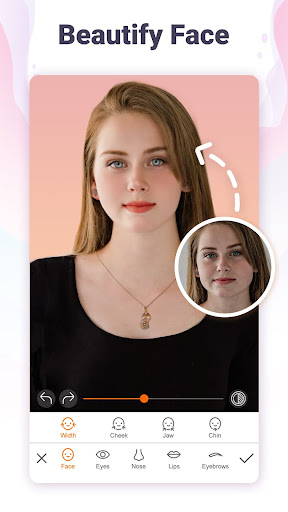
- Face Retouch Smoothen skin, reduce wrinkles, slim your face, and tweak details like lips and eyes for a natural glow. Ideal for those seeking flawless skin and enhanced facial beauty in selfies. 😊 Abs & Tattoos Add realistic six-pack abs or apply trendy tattoo stickers to your body for a bold look. Perfect for fitness enthusiasts or anyone wanting to add unique elements to their photos. 💪
Pros
- The intuitive interface makes professional-level body and face editing accessible to everyone, regardless of skill level. Achieve stunning transformations with just a few simple taps. ✨
- Offers a wide variety of realistic filters and tools for both body shaping and facial retouching, ensuring your edited photos look natural and not overdone. 💯
- Completely free, this app provides robust editing capabilities at no cost, making it an excellent choice for budget-conscious users who want high-quality photo enhancements. 💰