orbitapk
Open menu
かんたんnetprint icon

Safe APK Profile

かんたんnetprint

FUJIFILM Business Innovation Corp. · Photography

3.5
Rating
5M+
Downloads
safe
Badge
Download latest version

Why this app stands out

Picture this: you have a crucial job interview document or travel tickets to print just hours before departure, but your home printer is out of ink! 😩 Or maybe you've taken amazing vacation photos and want to instantly share physical copies with family. 📸 This app transforms any 7-Eleven into your personal print shop, accessible right from your phone.

It's your ultimate solution for urgent printing needs, saving you time and trouble when it matters most. ✨ Get your documents and memories printed without effort! ✅

Quick Print

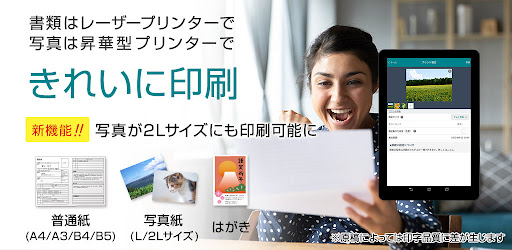
Print PDFs and photos from your phone or cloud storage to any 7-Eleven multi-copy machine. Ideal for urgent documents, travel tickets, or sharing photos without a home printer. Quick, simple, and available to everyone! 🖨️

Print

Upload your files in the app and generate a QR code. Just scan it at a 7-Eleven copier to print. Perfect for printing multiple files or sharing with others. Fast and convenient for busy people! 🚀

Reservation Number

Receive a unique print reservation number after uploading your files. Enter this number at any 7-Eleven copier to access and print your documents. Great for printing on the move or when sharing print tasks. 🔢

Orbit safety scan

Download confidence at a glance

Source profile checked

Package identity, developer name, category, and public listing signals are grouped before the download decision.

Install intent clarified

Users can compare screenshots, rating, downloads, and feature notes without leaving the detail page.

No registration path

The CTA is designed around a direct, low-friction APK lookup flow for repeat visitors.

Independent catalog

orbitapk separates editorial app information from official ownership claims and brand assets.

What to review before installing

1

Match the app identity

Check the name, developer, and category against what you expected to install.

2

Scan the product fit

Use screenshots and feature notes to decide whether the app solves your current workflow.

3

Compare user signals

Rating and download volume help separate established tools from niche or newer releases.

Related picks

More Photography apps to compare

Keep users moving with nearby alternatives instead of ending the page after the first content block.

More Apps