Editor's Review
Worried about your child's screen time or online safety? 🤔 Google Family Link provides parents with confidence as they navigate their kids through the digital world. Imagine setting simple limits so they can enjoy games without missing homework, or approving apps that align with their interests.
With over 100 million families already trusting Family Link, it's a reliable tool for fostering healthy digital habits and keeping your family safe online. 🛡️ Explore its features today and enjoy a balanced digital life for your family! 👨👩👧👦
Features
- Google Family Link provides parents with confidence as they navigate their kids through the digital world. Imagine setting simple limits so they can enjoy games without missing homework, or approving apps that align with their interests. With over 100 million families already trusting Family Link, it's a reliable tool for fostering healthy digital habits and keeping your family safe online. 🛡️ Explore its features today and enjoy a balanced digital life for your family! 👨👩👧👦
- Screen Time Set daily screen time limits and schedule device downtime to help kids balance online fun with real-world activities. Ideal for parents aiming to prevent overuse and promote healthy routines. ⏰ A true game-changer for digital wellness! 🌟
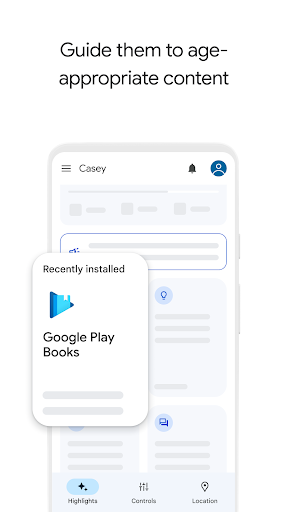
- App Management Approve or deny app downloads and control how long apps are used. Perfect for parents wanting to create a safe, age-appropriate digital space for their children, ensuring they only access suitable content. ✅ Filter out distractions! 🎶
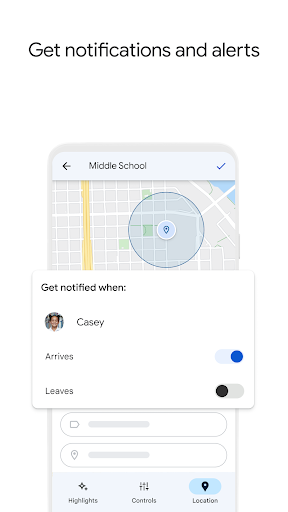
- Location Tracking See your child's device location on a map, offering reassurance when they're away from home. Essential for busy parents who need to know their kids are safe and where they should be. 📍 Peace of mind wherever you go! 🚀
- School Time for Android A new dedicated mode that blocks non-essential apps and mutes notifications during school hours. This helps students stay focused on learning while still allowing emergency calls and pre-approved educational tools.
- Parent-Managed Contacts Parents can now directly manage and approve the contact list on their child's Android phone. This prevents unknown people from calling or texting the child and lets parents see exactly who their children are communicating with.
- Supervision Removal Protection A recent security update that requires explicit parental permission before a teen can turn off supervision. This adds persistence to digital rules, preventing children from bypassing controls as they become more tech-savvy.
- Time Limits Offers the flexibility to adjust screen time for a single day without altering the permanent weekly schedule. Great for rewarding a child with extra time for a special event or movie night without needing to manually reset later.
- Time Hub A central dashboard that combines app-specific limits, device usage summaries, and downtime schedules into one view. It reduces the time parents spend navigating menus to quickly adjust their child's digital balance. NFC &
- Wallet Integration Allows parents to safely provide digital gift cards or transit passes to a child's device through
- Google Wallet This teaches financial responsibility by letting parents track minor spending and manage payment permissions in real-time.
Pros
- The user-friendly interface makes setting digital rules straightforward, even for parents who aren't tech-savvy. Its clean design ensures quick setup and easy monitoring, giving parents control without complexity. ✅
- Robust features like app approval and screen time limits provide detailed control over a child's digital experience. This lets parents customize settings exactly to their child's age and maturity, encouraging responsible tech use. 🎯
- Real-time location tracking and device alerts offer exceptional peace of mind for parents. Knowing where your child is and receiving notifications about their whereabouts adds a vital layer of safety and security. 🗺️