Editor's Review
Are you tired of constantly toggling between your phone and computer for messages, calls, or photos? 😩 Imagine managing all your phone's key features from your desktop, like magic! ✨ Phone Link makes this a reality, seamlessly connecting your devices.
Users report saving time and increasing productivity by over
Features
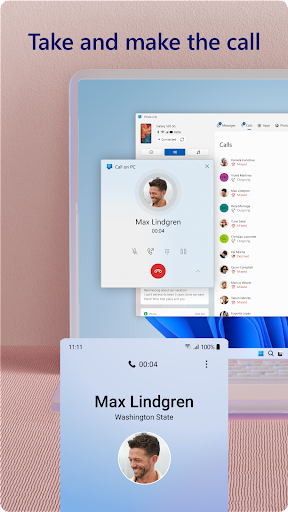
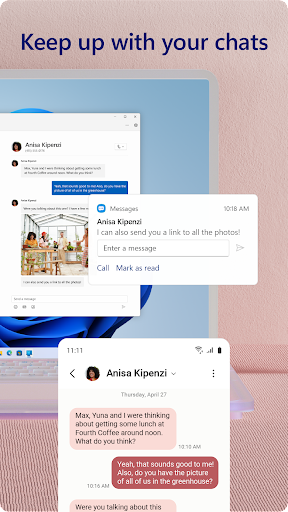
- 30 Get ready to simplify your digital life and experience true device harmony. Download now to transform your workflow! 📲💻 Calls & Texts Ever missed a crucial call or message while working on your
- PC? 😥 Phone Link lets you make and take calls and respond to texts right from your computer, so you never lose pace. Ideal for busy professionals and multitaskers who require uninterrupted connectivity. 📞💬 Notifications Overwhelmed by a flood of phone notifications? 🌊 Phone Link delivers all your Android notifications to your PC, letting you quickly check important ones and clear the rest. Perfect for anyone looking to minimize distractions and stay updated effectively. 🔔👍 Photos & Files No more emailing images to yourself or dealing with bulky USB drives! 📸 Moving photos and files between your phone and PC is now as easy as dragging and dropping. Edit and view your memories right away, making sharing content effortless for creators and regular users. 🖼️💻
Pros
- The smooth integration enables easy file transfers and content sharing across devices. The drag-and-drop feature works perfectly, saving a lot of time when moving photos or documents. 🚀
- Handling notifications and messages directly from the computer revolutionizes productivity. It greatly cuts down the need to frequently grab your phone, helping you stay focused on your work. 🎯
- The capability to run mobile apps on a bigger PC monitor, along with keyboard and mouse support, provides a uniquely convenient and robust user experience, particularly for compatible devices. ✨