





Why this app stands out
Tired of fumbling for your train pass or cash at checkout? 😩 Mobile Suica transforms your phone into a seamless payment tool, making daily commutes and shopping effortless! 📱 Imagine tapping your device to board a train or buy your morning coffee.
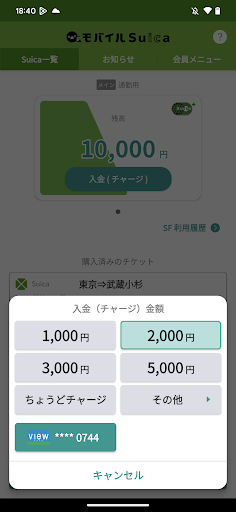
☕ With over 50 million downloads, people already love this digital convenience. ✨ The app lets you issue new Suica cards, manage commuter passes, and earn points on trips, turning routine travel into a rewarding experience. 🌟 Get it now and embrace a simpler, smarter lifestyle! ✅
Digital Suica
Forget about losing your Suica card! You can create and manage a virtual Suica card right on your phone. Perfect for daily commuters and travelers who want quick access to their transit and payment card without added bulk. Enjoy the convenience of always having your Suica with you. 🚆💸
Commuter Pass
Upgrade your daily commute with a digital commuter pass. Easily purchase, download, and manage your passes within the app. Ideal for students and regular employees seeking a stress-free public transit experience. Avoid ticket booth lines and save time! 🚌👍
Cashless Payment
Experience quick and safe payments wherever you are. Pay for train tickets, bus fares, and items at numerous stores across the country with your phone. Perfect for anyone wanting to streamline payments and embrace a modern, contactless way of life. Your phone is your wallet! 🛒💳


