Editor's Review
Tired of guessing if you're eating right or exercising enough? 🤔 Imagine easily tracking meals and workouts while seeing real progress toward your health goals! MyFitnessPal turns that vision into reality, acting as your personal nutrition coach and fitness buddy.
With a library of over 14 million foods and seamless integration with more than 50 apps and devices, it simplifies your wellness journey like never before. Join the millions who trust MyFitnessPal to guide them to a healthier life! 💪🌟
Features
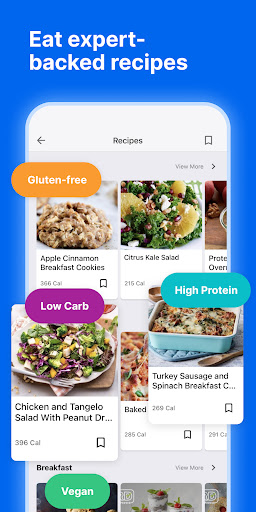
- Easily Quickly log your meals using a vast food database, barcode scanning, and quick-add features. Perfect for those who want to monitor calories and macros for weight management or general health.
- Track Activity Record your workouts and daily steps to see how your activity aligns with your diet. Great for both experienced athletes and beginners, helping you understand your total energy expenditure and reach fitness goals faster. Stay motivated! 🏃♀️
- Analyze Progress Visualize your journey with detailed charts and analysis of calories, macros, and nutrients. Ideal for individuals dedicated to understanding how their body responds to food and exercise, enabling smart decisions for lasting results. See your progress! 📈
- Log Food Easily Quickly log your meals using a vast food database, barcode scanning, and quick-add features. Perfect for those who want to monitor calories and macros for weight management or general health.
Pros
- The huge food database is incredible, allowing you to find almost any food, from restaurant meals to rare ingredients. This greatly simplifies daily logging for everyone. 💯
- Seamless integration with numerous other health apps and wearables syncs your data automatically, providing a comprehensive view of your health without any manual effort. That's ultimate convenience. ⌚
- The app offers strong customization for goals and dashboards, letting users tailor their experience to their specific needs, whether losing weight, building muscle, or simply improving eating habits. 🎯