Editor's Review
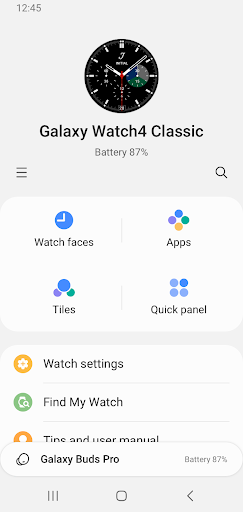
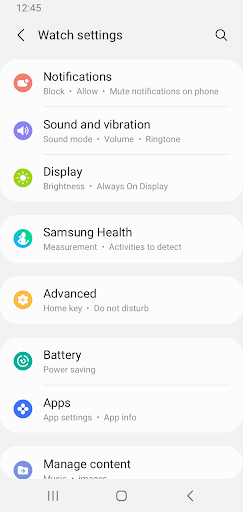
Tired of always looking at your phone for notifications or wanting to customize your watch face right away? 🕵️ Galaxy Wearable seamlessly pairs your smartphone with your favorite wearables! Imagine effortlessly managing music, reading messages, and finding your lost watch with just a tap.
✨ Over 50 million users rely on this app to get the most out of their Galaxy devices. Want a more connected lifestyle? Download now and enhance your daily experience! 🚀
Features
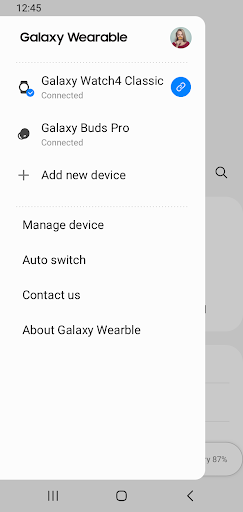
- Seamless Connection Connect and manage your Galaxy wearable with your phone effortlessly. Ideal for those who want simple access to device features. Benefit from a stable connection for all your paired tasks. 🔗
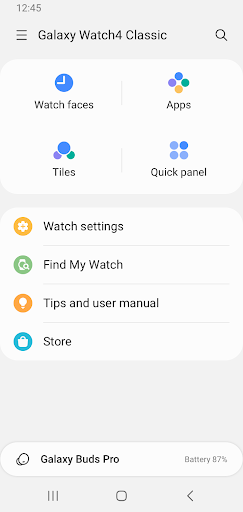
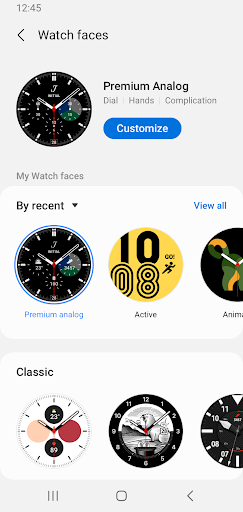
- Watch Faces Customize your watch look to match your style or mood. Swap watch faces fast to express yourself. Great for fashion-forward individuals and tech enthusiasts. 😎
- App Management Discover, install, and manage apps for your wearable directly from your phone. Ensure your device stays current with new functionalities. Must-have for those looking to expand their wearable's capabilities. 📲
Pros
- The intuitive interface simplifies setup, allowing even novices to pair their devices quickly. Managing notifications and apps is straightforward, enhancing the user experience overall. Software updates are handled seamlessly, ensuring your wearable always receives the latest features and security patches. This proactive approach maintains your device's peak performance. Features such as 'Find my Watch' provide peace of mind by easily finding misplaced gadgets. This vital capability has saved numerous users from the anxiety of a lost device.