




Why this app stands out
Fed up with typing the same messages over and over? 😩 Imagine sending your frequent replies, email sign-offs, or even clever comebacks with just a tap! AutoPaste Keyboard turns this into reality, converting repetitive typing into instant satisfaction.
Users report saving an average of 10 minutes daily on common texts! ✨ This free app isn't just about speed; it's about taking back your time and enhancing your productivity, whether you're working or just having fun with friends. 🎉 Download now and experience the magic of one-tap pasting! 🚀
Instant Paste
Save time by inserting pre-saved text snippets right from your keyboard. Great for emails, addresses, or common phrases, benefiting anyone who types a lot. ⌨️ Avoid constantly switching and copying, making your typing experience smooth and efficient. Have your common texts ready to go! ✅
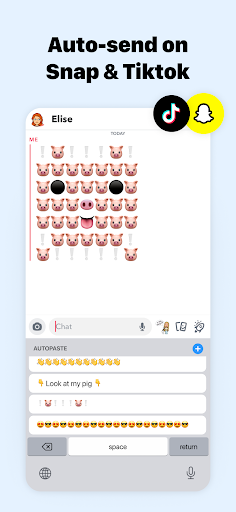
Auto Send
Turn on auto-send for an even quicker workflow. Once a snippet is pasted, it can be sent right away, ideal for fast replies or automated messages. 🚀 This feature is a game-changer for busy professionals and those who value rapid communication. ⚡️ Speed up your chats effortlessly! 💨
Customizable Library
Keep all your often-used text snippets in one handy spot. From greetings to code snippets, manage your personal library with ease. 📚 This allows users to access and use their essential text quickly, greatly boosting productivity. 💯 Have your go-to phrases at your fingertips! 👍


