Editor's Review
Imagine a chilly morning when you can warm up your Tesla without going outside 🥶. Or perhaps you're in a crowded parking lot and need to extract your car unscathed 🚗. The Tesla app transforms these daily scenarios into seamless experiences, placing incredible control in your hands 🙌.
With millions of owners already relishing this convenience, it's time to unlock your Tesla's full potential. Download now and start your journey with effortless control and peace of mind! ✨
Features
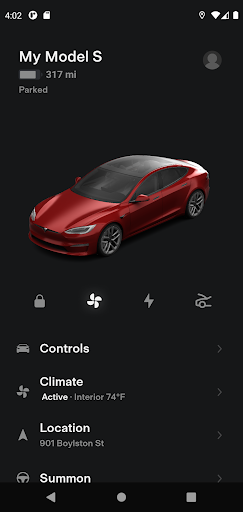
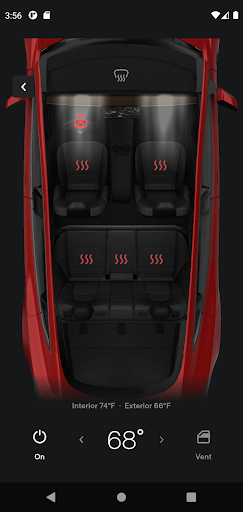
- Remote Climate Control Heat or cool your Tesla before getting in, perfect for extreme weather or pre-trip comfort ☀️. This feature guarantees you start your journey in an ideal climate, a true luxury for any driver, particularly on busy mornings or after a long day. Enjoy instant comfort! 💨
- Charge Management Monitor charging status in real time and manage charging remotely, ideal for optimizing energy usage and costs 🔌. Whether at home or away, stay informed and control your car's power levels. Never worry about an unexpected low battery again! 🔋
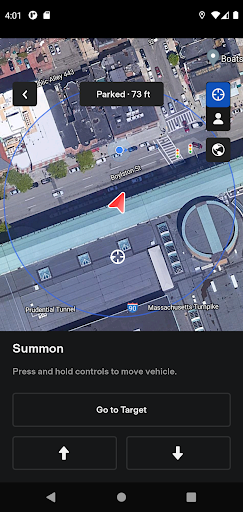
- Vehicle Location & Summon Locate your car instantly or use Summon to move it from tight spots, offering outstanding convenience and safety 📍. This is a game-changer for crowded parking lots or garages, providing peace of mind and easy retrieval. Your Tesla, always within reach! 🗺️
Pros
- The cabin preconditioning is an outstanding feature, making drives in extreme weather far more comfortable. It's like stepping into a perfectly tuned environment each time. Real-time charging status and remote control give great flexibility for managing power. Adjusting charging schedules and viewing your battery level at a glance is very comforting. Summon and remote location services provide a significant boost in convenience and safety, especially in difficult parking situations. It feels innovative and genuinely practical for everyday use.