Editor's Review
Tired of losing your Roku remote? 😩 Imagine settling in for a movie, then realizing the remote is gone! 👻 RoByte saves the day!
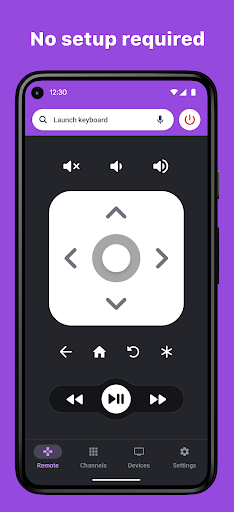
This app instantly transforms your phone into a full-featured Roku remote. ✨ Boasting over 1 million downloads and a 4.5-star rating, users adore its reliable connection and intuitive design. 🚀 Quit hunting for the remote and enjoy seamless streaming.
🎬 Download RoByte now and reclaim your sofa! 👍
Features
- Instant Remote Convert your phone into a complete
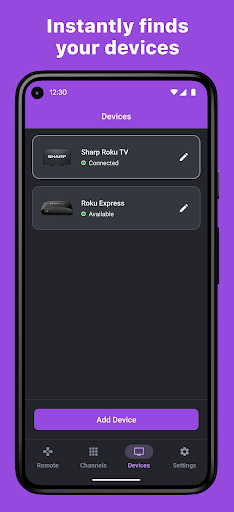
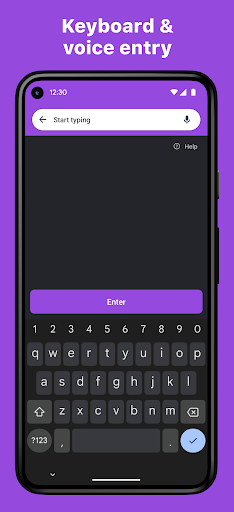
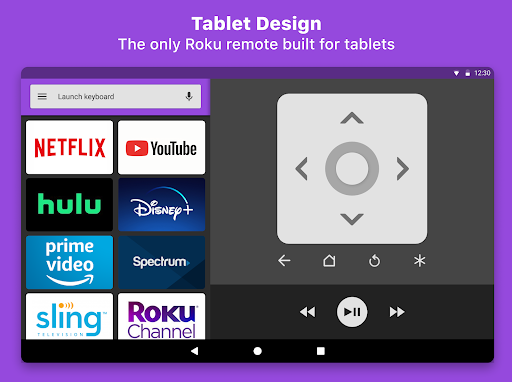
- Roku remote within moments Ideal for situations where the physical remote is misplaced or the batteries are drained. 🔋 It auto-detects and pairs with your Roku device, offering great convenience for all, particularly families. 👨👩👧👦 Keyboard & Voice Fed up with endlessly browsing through Netflix or Hulu? 😩 Utilize your phone's keyboard for rapid searches or opt for voice commands for ultimate convenience! 🎤 Perfect for busy individuals who want to jump directly into their preferred shows without any fuss. 🎬
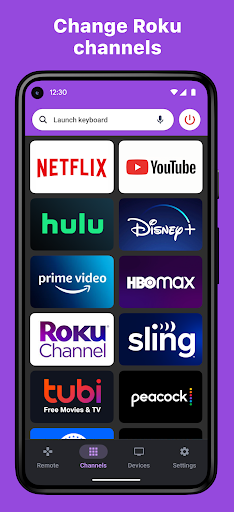
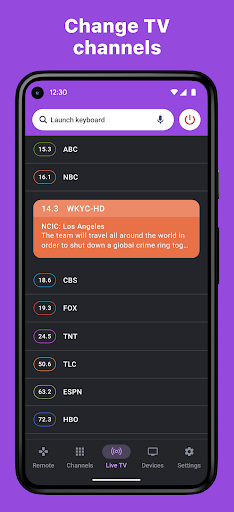
- Channel Surfing Effortlessly navigate and switch to any of your installed Roku channels with a single tap. 👆 Ideal for users who frequently change apps or desire quick access to particular content. 🌟 Wave goodbye to menu browsing and welcome immediate enjoyment! 🎉
Pros
- The automatic device discovery eliminates setup headaches, connecting you swiftly. It's incredibly user-friendly, even for non-techies. 🎉
- Keyboard and voice search features greatly assist in quickly locating content on streaming platforms. This saves significant time and reduces frustration. ⏱️
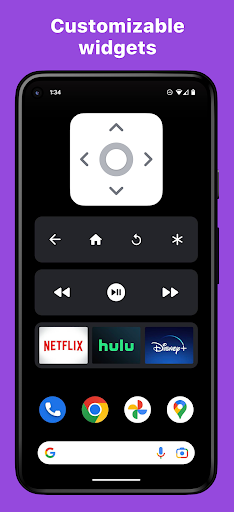
- Widgets and Android Wear compatibility provide convenient control from your home screen or wristwatch. It offers rapid access to play/pause and other essential functions. ⌚